Azure Cosmos DB 101

4 students enrolled
0
0 reviews
  • Description
  • Curriculum
  • FAQ
azure_cosmos_db_course

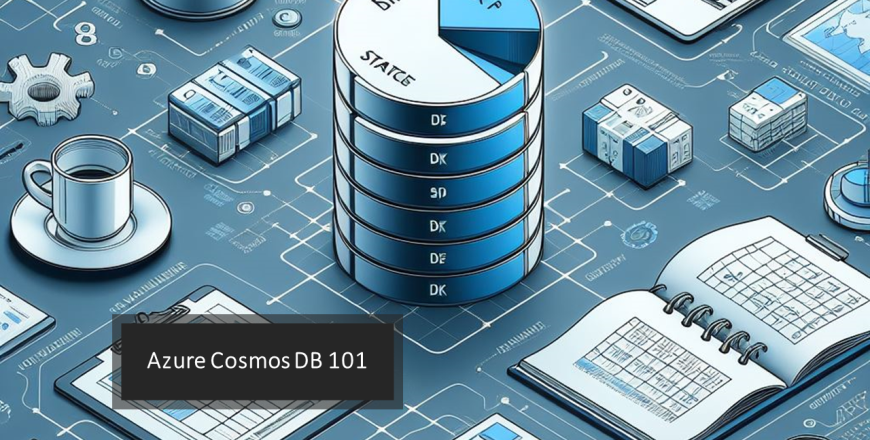
The Azure Cosmos DB 101 course offers participants a thorough initiation into backend services, emphasizing the use of Visual Studio, C#, and Azure Cosmos DB Emulator. Covering foundational concepts of databases, students will learn to harness Azure Cosmos DB, exploring various data models and honing skills in database design.

The course includes hands-on sessions, guiding students through the setup of Azure Cosmos DB Emulator, implementation of CRUD operations, and addressing advanced topics like partitioning and scaling. The interactive curriculum incorporates group activities, real-world case studies, and a final project, ensuring participants not only understand the theoretical aspects but also gain practical proficiency in designing and implementing backend services using Azure Cosmos DB.

What is the Azure Cosmos DB 101 course all about?
The C# for Beginners course is designed to provide an accessible introduction to the C# programming language. It focuses on teaching the fundamentals of C# and how to develop basic console applications using Visual Studio Code.
Who is this course suitable for?
This course is suitable for beginners who are interested in learning about databases, particularly SQL and NoSQL databases, and how to work with them using Azure Cosmos DB. While prior programming knowledge is not required, having a basic understanding of data concepts and some familiarity with programming concepts would be beneficial. This course is ideal for individuals looking to build foundational skills in database management and cloud computing, with a focus on Azure services.
What will I learn in this course?
In this course, you'll learn the fundamentals of working with Azure Cosmos DB, including how to create and manage databases, containers, and documents. You'll also learn about the differences between SQL and NoSQL databases, and how to query data using SQL-like syntax with Azure Cosmos DB.
Do I need any prior programming experience to enroll in this course?
While some programming knowledge is beneficial, you don't necessarily need to know C# specifically to work with Azure Cosmos DB. You can interact with Azure Cosmos DB using various SDKs and programming languages, including JavaScript, Python, Java, and more. This course specifically uses C#.
What is Azure Cosmos DB?
Azure Cosmos DB is a globally distributed, multi-model database service provided by Microsoft Azure. It offers NoSQL capabilities along with support for multiple data models, including document, key-value, graph, and column-family.
What is the difference between SQL and NoSQL databases?
SQL databases, also known as relational databases, store data in a structured format using tables with predefined schemas. NoSQL databases, on the other hand, are non-relational databases that store data in flexible, schema-less formats, making them suitable for handling unstructured or semi-structured data.
What is the Azure Cosmos DB Emulator?
The Azure Cosmos DB Emulator is a local development tool provided by Microsoft that allows you to develop and test Azure Cosmos DB applications on your local machine without needing to connect to the Azure cloud. It provides a simulated environment similar to the Azure Cosmos DB service.
Is it necessary to have an Azure subscription to use the Azure Cosmos DB Emulator?
No, you don't need an Azure subscription to use the Azure Cosmos DB Emulator. It's a standalone tool that can be downloaded and installed on your local machine for development and testing purposes.
Can I migrate data from other databases to Azure Cosmos DB?
Yes, Azure Cosmos DB provides tools and utilities for migrating data from various sources, including SQL databases, MongoDB, and more. You can use the Data Migration Tool provided by Microsoft to migrate data to Azure Cosmos DB.
What are some real-world use cases for Azure Cosmos DB?
Azure Cosmos DB is commonly used for building globally distributed applications, IoT (Internet of Things) solutions, real-time analytics, personalization, and content management systems. It's particularly well-suited for applications that require low-latency, high availability, and seamless scalability.
How can I continue learning about Azure Cosmos DB after completing this course?
After completing this course, you can explore more advanced topics in Azure Cosmos DB, such as partitioning, indexing strategies, performance optimization, and advanced querying techniques. Additionally, you can explore the official Azure Cosmos DB documentation, tutorials, and community resources available online.