Curriculum
C# for Beginners


Introduction to C#
Welcome and Course Overview
Welcome! I’m excited to have you here for our C# for Beginners course. In this first module, we’ll get to know what C# is all about and how we can use it to create cool stuff. Let’s dive right in!
Introduction to the course and its goals
The goal here is to get you familiar with C# in a fun and approchable way. By the end of this course, you’ll be able to create simple software applications and understand how to solve problems with code.
Whether you dream of building your own games, websites, or just want to explroe the exciting universe of programming, this course is your perfect starting point.
I’ll guide you through the basics, unravel the mysteries of C#, and empower you to turn your ideas into reality.
Introduction to C# and Its Applications
Let’s start with the basics. What is C# and why is it so awesome?
What is C#?
C# is like the secret language that computers understand. It’s a programming language that allows us to communicate with computers and tell them what to do. You can think of C# as a magical toolkit that lets you create games, apps, and all sorts of cool stuff.
If you’re curious and wanted to know more about C#, you may visit here.
Where do we find C# in our daily lives?
You might not know it, but C# is everywhere in your daily life! Have you ever played a video game? Many video games are created using C#. It’s what makes your character move, the monsters appear, and the adventures come to life.
Ever used a mobile app on your phone? Chances are, it’s powered by C# too! From social media apps to messaging apps, C# is the force behind the scenes.
And if you’re a fan of the game Minecraft, you’re already a fan of something incredible made with C#. This language is like the magic wand behind awesome projects like that, and you’re about to learn how to use it to create your own magic.
Setting Up Visual Studio Code for C#
Now that you know what C# is, let’s get ready to start writing your first program.
What is Visual Studio Code (VS Code)?
Before we dive into C# coding, let’s set up our playground, and that’s where Visual Studio Code (VS Code) comes into play. VS Code is like your trusty sketchbook for coding adventures. It’s a code editor, just like a text editor, but supercharged for writing and managing your programs.
How to download and install VS Code?
To get started with VS Code, you’ll need to download and install it on your computer. Don’t worry; it’s completely free and easy to get. We’ll walk you through the process step by step.
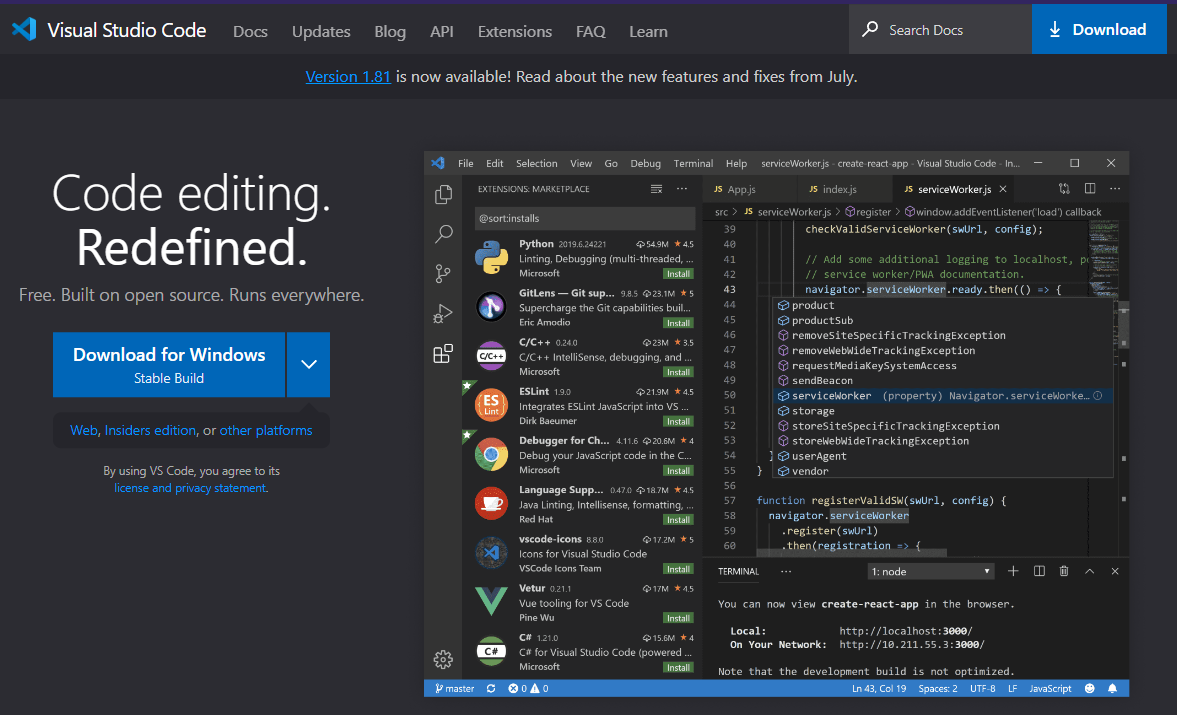
1. Head to code.visualstudio.com
2. Download the VS Code for your machine.
3. Install the C# extension (C# and C# Dev Kit by Microsoft).
Installing the C# extension in VS Code to make it C# friendly
Once you have VS Code ready, we’ll add a little magic to it by installing the C# extension. This extension turns your plain VS Code into a C#-friendly environment, making it easier to write, run, and debug your C# programs.
With VS Code and the C# extension, you’re all set to embark on your coding journey!
Installing dotnet SDK
You may need to install dotnet SDK.
As of writing, dotnet 7.0 is in standard term support (STS).
To download and install the dotnet SDK, click here.
In your terminal, to test whether you have successfully installed dotnet, run the following command:
dotnet --version
You may need to restart your PC and/or set the environment variables if all fails.
Your First C# Program
This is where the fun begins! We’re going to create your first C# program. We’ll start with a simple console application, and it’s going to be a lot of fun. To make it even more engaging, let’s do a little role play.
Scenario
You are the owner of a sandwich store. Now, imagine you’re writing a recipe for a sandwich. Let’s ignore the various sandwich options for now.
We’ll write a C# program to display the steps of making a sandwich so that it is repeatable by your fellow employees.
You’ll type the code while I guide you through it step by step. We’ll run the program, and you’ll see the result right away.
For this very 1st hour, I’ll give you the code as below. We’ll go through the code in-depth in the next hour.
Instructions
We’ll first create a folder, say, Hour 1.
We’ll then launch VS Code and Open Folder to Hour 1.
There, we’ll call the following command in the terminal to set up our very first C# project.
dotnet new console --framework net8.0 --use-program-main
Running the above command will generate a boiler plate template.
Copy the following code to run the sandwich recipe app.
To run the code, hit Save, and type in the following:
dotnet run
The code
using System;

class Program
{
    static void Main(string[] args)
    {
        Console.WriteLine("How to make a sandwich:");
        Console.WriteLine("1. Take two slices of bread.");
        Console.WriteLine("2. Spread peanut butter on one slice.");
        Console.WriteLine("3. Spread jelly on the other slice.");
        Console.WriteLine("4. Press the slices together.");
        Console.WriteLine("5. Serve your sandwich!");
    }
}